Race seconds ahead · Assetto Corsa

See the corner before you reach it

Real-time driving guidance for sim racing. See when to brake, how much throttle to apply, and how to steer — with visual cues that adapt to your car and your actions.

Try 14 days free Card required · Cancel anytime
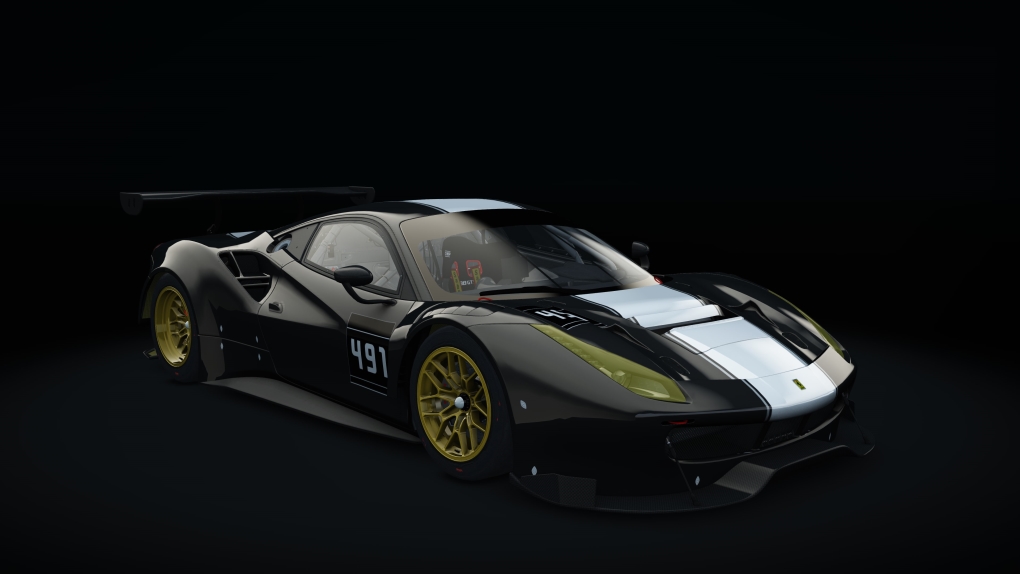
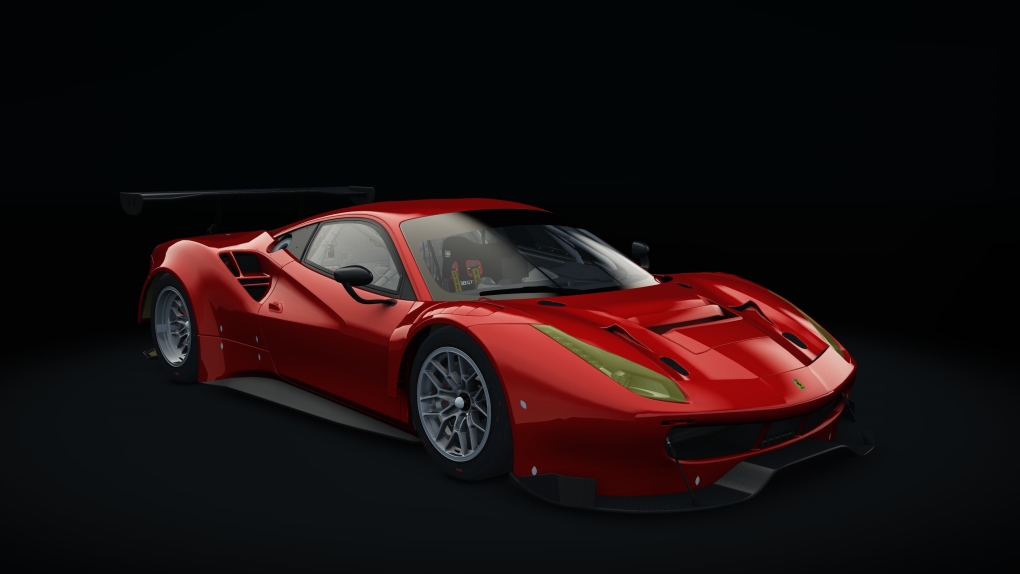
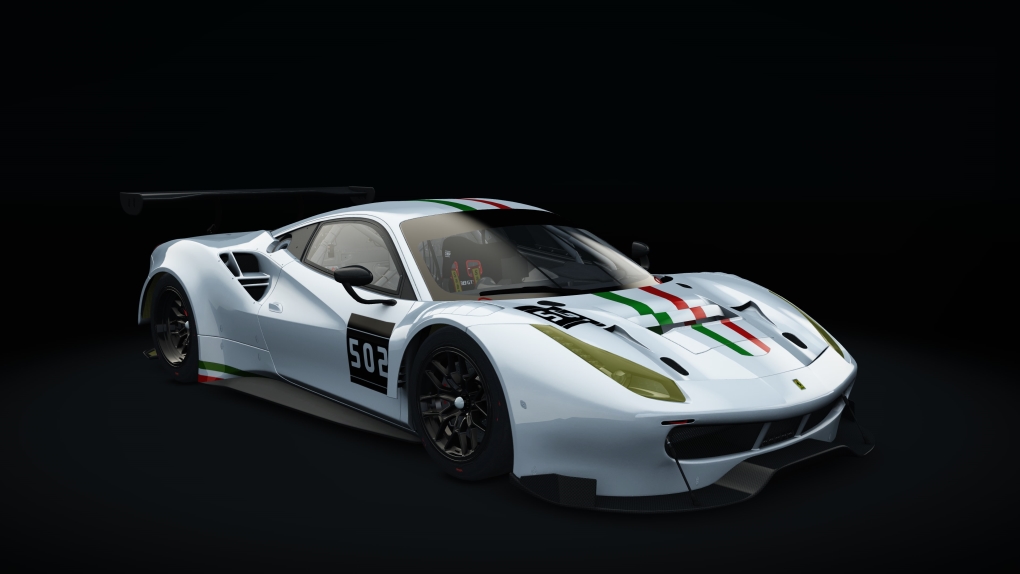
Ferrari 488 GT3 in a white livery — Assetto Corsa render
to apex71 m
speed194 km/h
limit169 km/h
25 km/h over the limit — brake 100%
What you see

See now. See next. See ahead.

Three moments at once: what you're doing, what the car needs now and what's coming. The fill, the mark and the line show them — you choose which shows what. Five indicators — brake, throttle, steering, the strategy sign and the gear — four shapes, anywhere on the screen.

You — what you're doing

Your own pedals and wheel, straight from the game, with zero lag.

Now — what the car needs

Where your input should be right now — early by your own reaction time, so your foot gets there on time. Short of it — press harder; past it — ease off.

Ahead — what's coming

What the next second will ask of you: you see the braking before it starts.

4 62 58
Fill — what's needed now Mark — what you do Line — what's coming in 1 s

Make it yours

Pick a shape, a style, a colour and what each element shows. Press the brake with the slider.

Brake
Shape
Style
Colour
Elements
Shows
50 %
Press harder

In the app the same for the throttle and the steering (with its own Forecast style), plus the strategy sign and the gear — anywhere on the screen, up to 12 indicator profiles.

Live

What it looks like in a race

Real recordings from one evening at Spa: the cockpit, the rig from the side, the app after the run.

How to read the cuesBrake, throttle and steering at Spa: what the fill, the white line and the forecast mean.
From the sideHands on the wheel, the cues on the screen — what it looks like at home.
Setup and reviewIndicators, strategies and the AI review: where you lose time and what to do next.

See where the lap is hiding

Spa, from a cautious lap to a clean one. Each green dot is a corner where decisions win or lose time — and how many seconds it holds.

per lap −5.2 s 2:32.0 → 2:26.9
Spa-Francorchamps map with the corners where time is gained
−0.4 s
−0.5 s
−0.4 s
−0.3 s
−0.4 s
−0.3 s
−0.6 s
−0.6 s
−0.3 s
−0.4 s
−0.3 s
−0.5 s

Where the seconds hide

  1. turn at 4.6 km−0.64 s
  2. turn at 3.8 km−0.59 s
  3. Bus Stop−0.52 s
  4. turn at 1.1 km−0.50 s
  5. turn at 3.0 km−0.44 s
  6. Les Combes−0.42 s
  7. La Source−0.41 s

Computed with the GT3 model on a track profile built from the game's files.

After the run

Every session, taken apart

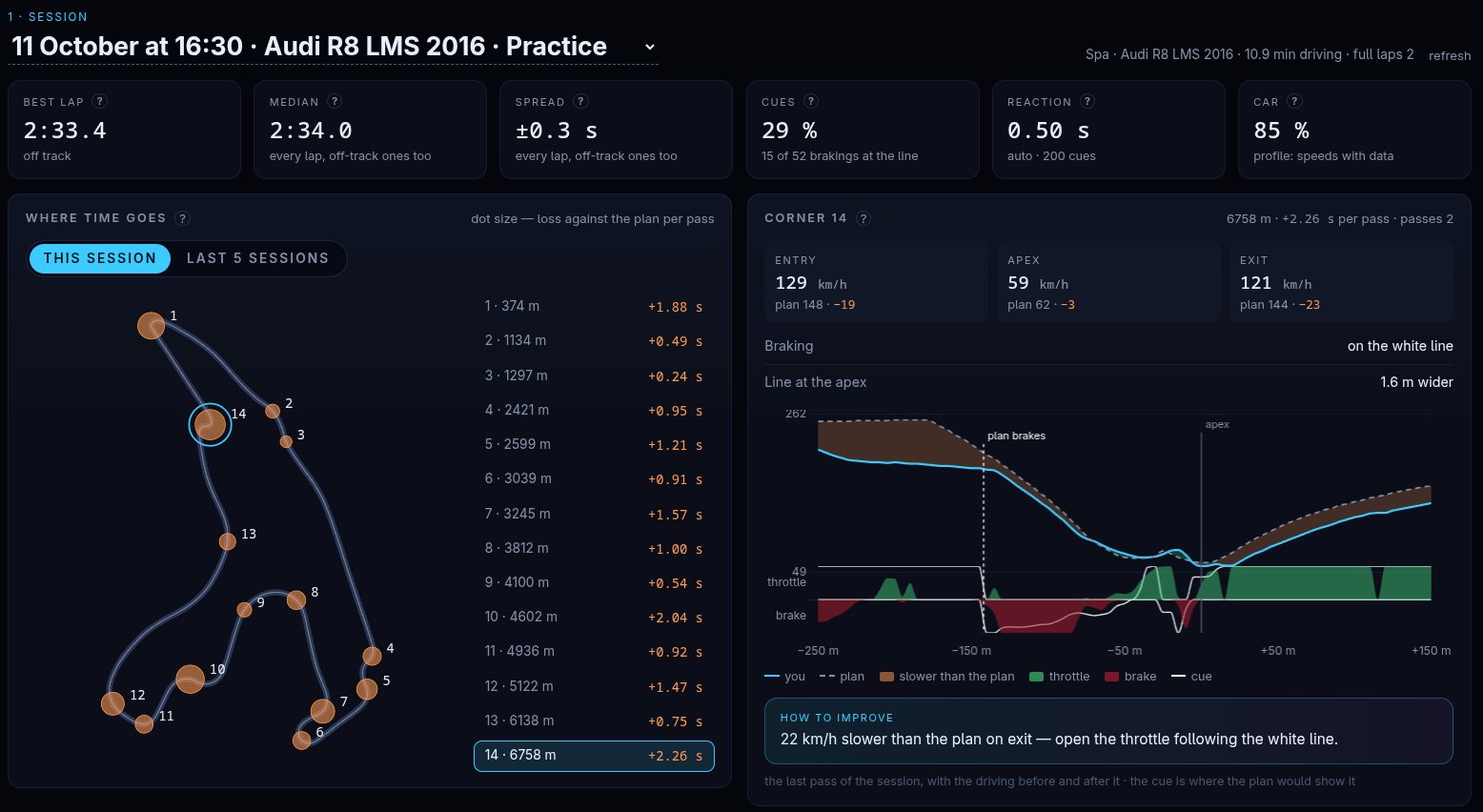
The Profile tab counts it all on your computer, from your own laps: the session, every corner, your progress from session to session and you as a driver.

The Profile tab, a session: best lap, median, spread, cues, reaction and car; the map of where time goes and the card of corner 14 with its chart

Session

  • Best lap, median and spread
  • Brakings at the white line, ±10 m, and your reaction
  • Where time goes: a map and the loss in every corner — this session or the last 5
  • opens with an upgrade: Corner card: entry, apex and exit against the plan, the braking, the line, a chart of the pass and one tip
Upgrade
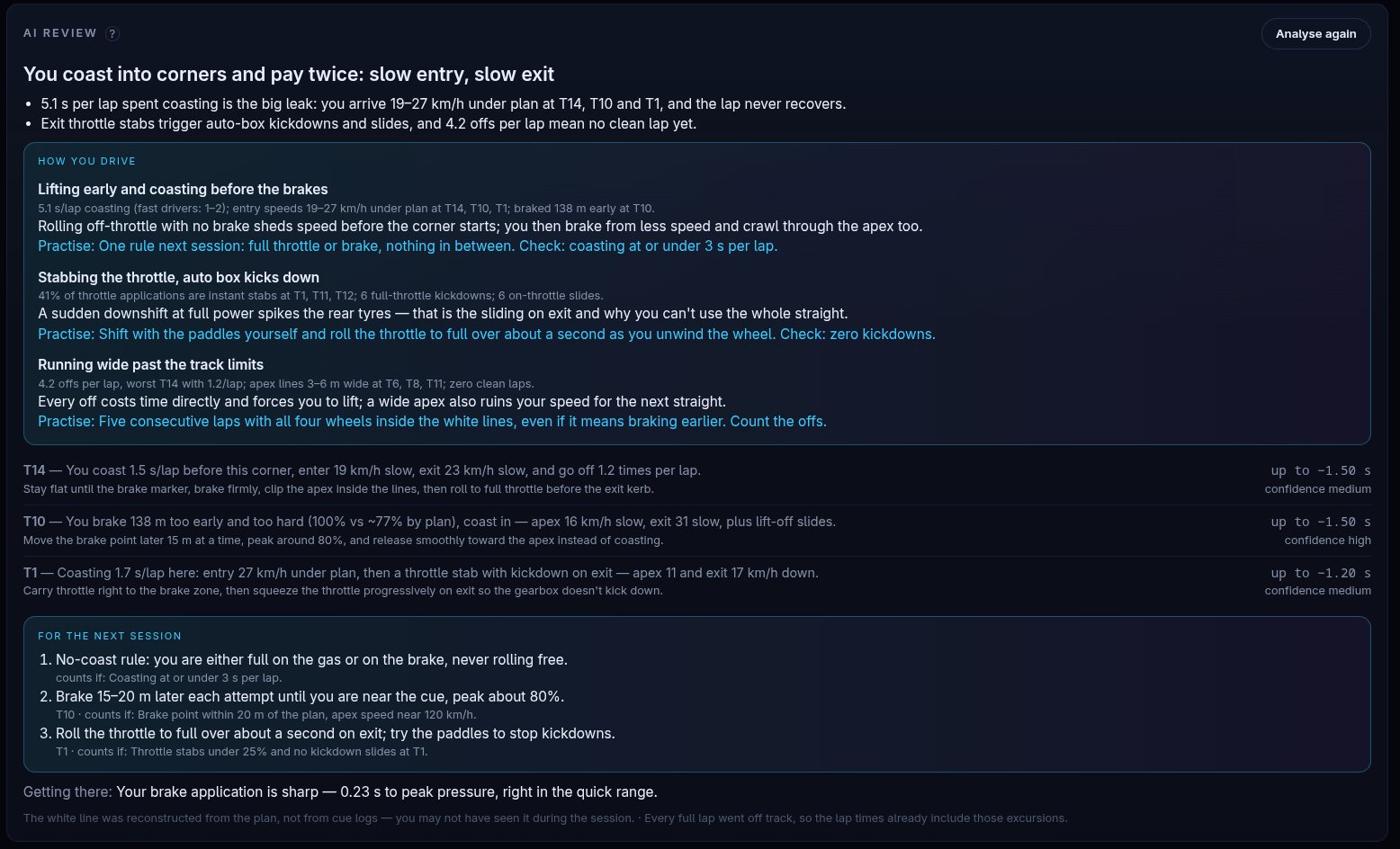
The AI review of a session: the headline, How you drive with three habits, three corners and the tasks for the next session

opens with an upgrade: AI review

  • A coach's note in about 30 s, in your language
  • How you drive: your habits, the numbers behind them, why they cost time and a drill
  • Corner by corner: what's wrong, how to fix it and what it's worth
  • For the next session: three tasks, each with how to check it
Upgrade
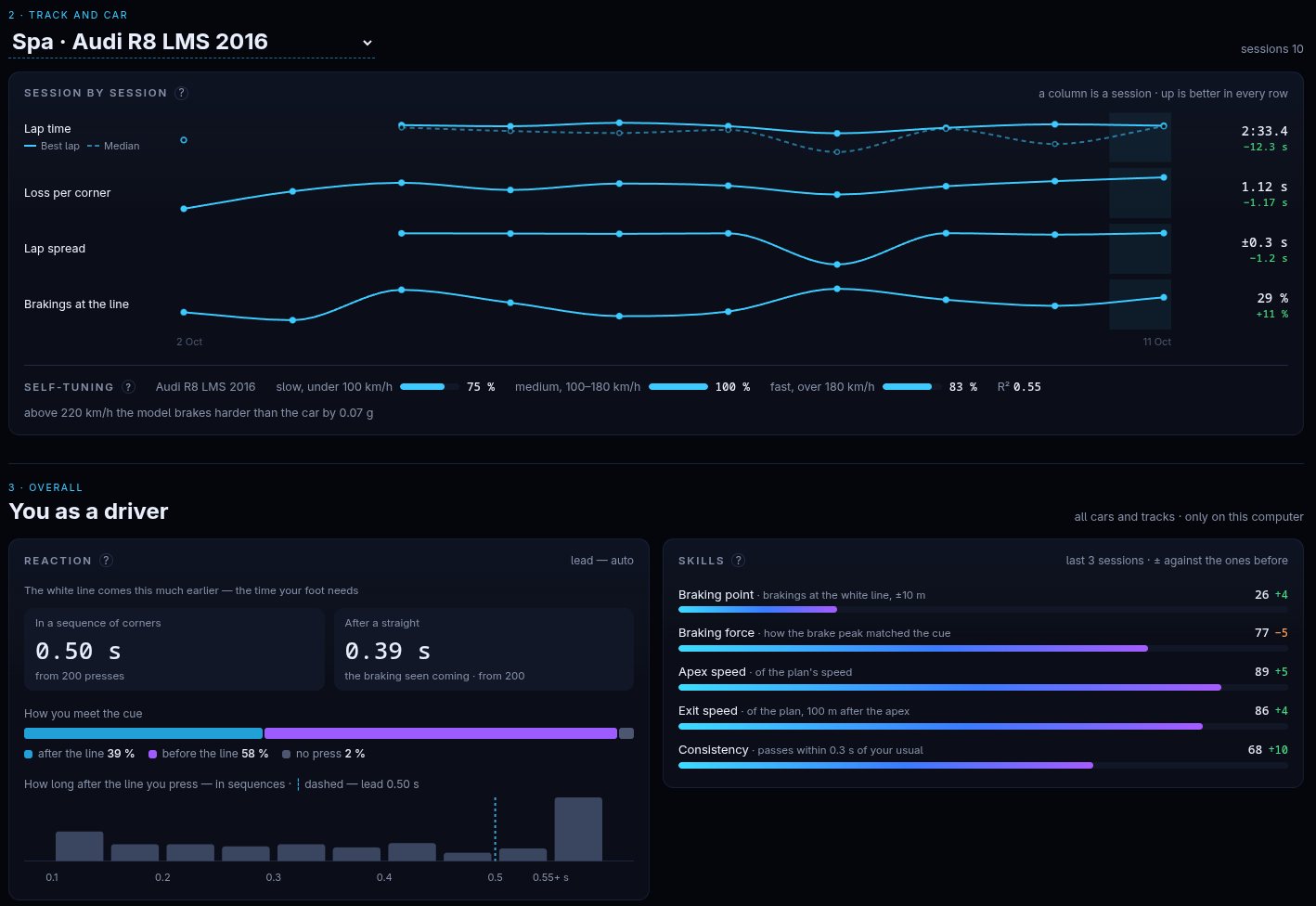
Track and car: session by session and self-tuning; You as a driver: reaction and skills

Track, car and you

  • opens with an upgrade: Session by session: lap time, loss per corner, spread and brakings at the line — up is always better
  • Self-tuning: how well the car's model has learned — slow, medium and fast — from your laps and AC's AI cars
  • Reaction: in a run of corners and after a straight, and how you meet the cue
  • opens with an upgrade: Skills 0–100 over the last 3 sessions: braking point and force, apex and exit speed, consistency
Upgrade

The analysis runs on your computer; a copy of your drive recordings goes to our server for the car models, without your nickname. The AI review sends only the session's numbers — no recordings, no names.

How to get started

From sign-up to your first lap with cues

Four steps. The app signs in with your account, so start with the free trial — then download, connect and drive.

  1. 01

    Start your free trial

    PlanEmailCard
    • Every feature of the plan — 14 days
    • First charge — at the end of the trial
    • Cancel anytime
    14 days freeCard required · Cancel anytime

    Already have an account? Sign in

  2. 02

    Download and install

    • Windowssetup.exe
    • Linuxsh install.shstart the game once through Steam first

    The installer finds Assetto Corsa and switches the app on.

    Windows 10/11 · Linux: Steam + Proton · Assetto Corsa (Steam)
    Works with an account on a plan or a trial — step 01.

  3. 03

    Connect to Assetto Corsa

    1. Start the game and any session
    2. At the right edge of the screen open YokenAI-Settings
    3. Press “Sign in”, then “Connect” in the browser

    Done when the brake, throttle and steering indicators appear on screen.

    No indicators? The “Yoken AI: …” line at the top centre says why.

  4. 04

    Drive

    • Brake — bottom left
    • Throttle — bottom right
    • Steering — at the top
    • The fill — what's needed now
    • The white mark — your pedal: bring it to the fill
    • The coloured line — what's coming next
Pricing

Pick your level. Every car and track in every plan.

Plans differ in strategies and session analysis. Safety is free in all of them.

14 days free Pick a plan and add a card — the first charge comes after 14 days.
2 months free with yearly billing
Ferrari 488 GT3

Training

Build your braking and car control skills.

$12$10per month
$120 billed yearlySave $24
  • Every car and track
  • 6 speed strategies
  • Self-tuning to you and your car
  • +15 strategies: overtaking, defence, situations — not included
  • Rival forecast 2–3 seconds ahead — not included
  • Post-session analysis and decision cards — not includedFor every corner: the options, why this one was chosen and what decided it.
  • Progress tracking and fading cues — not includedWhere you're consistent, cues get fainter and rarer; they come back if mistakes do. Danger warnings never fade.
  • AI review after every session — not included
Start free trial
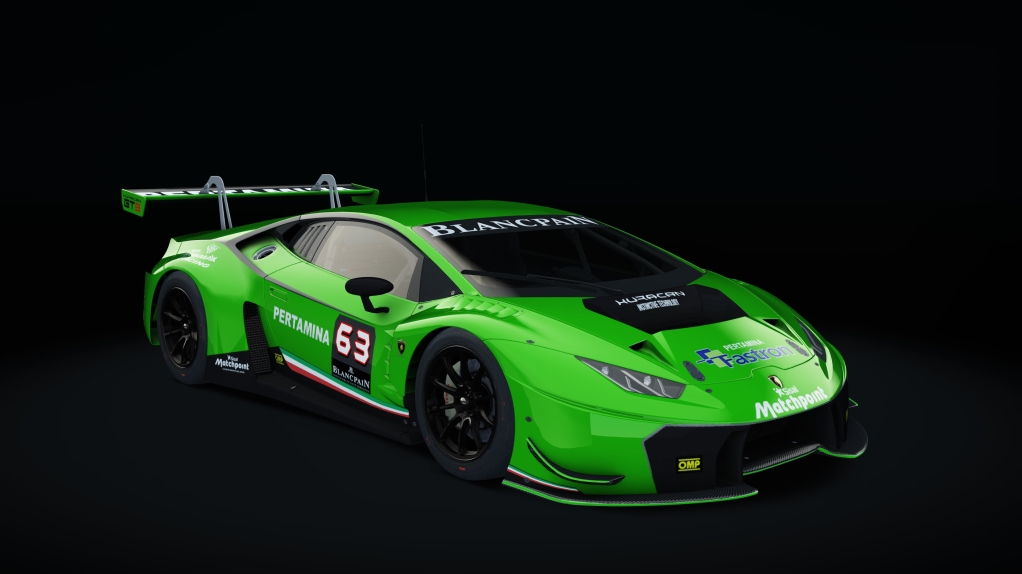
Lamborghini Huracán GT3

Driver

Master racecraft: attack, defend and adapt.

$18$15per month
$180 billed yearlySave $36
  • Every car and track
  • 6 speed strategies
  • Self-tuning to you and your car
  • +15 strategies: overtaking, defence, situations
  • Rival forecast 2–3 seconds ahead
  • Post-session analysis and decision cards — not includedFor every corner: the options, why this one was chosen and what decided it.
  • Progress tracking and fading cues — not includedWhere you're consistent, cues get fainter and rarer; they come back if mistakes do. Danger warnings never fade.
  • AI review after every session — not included
Start free trial
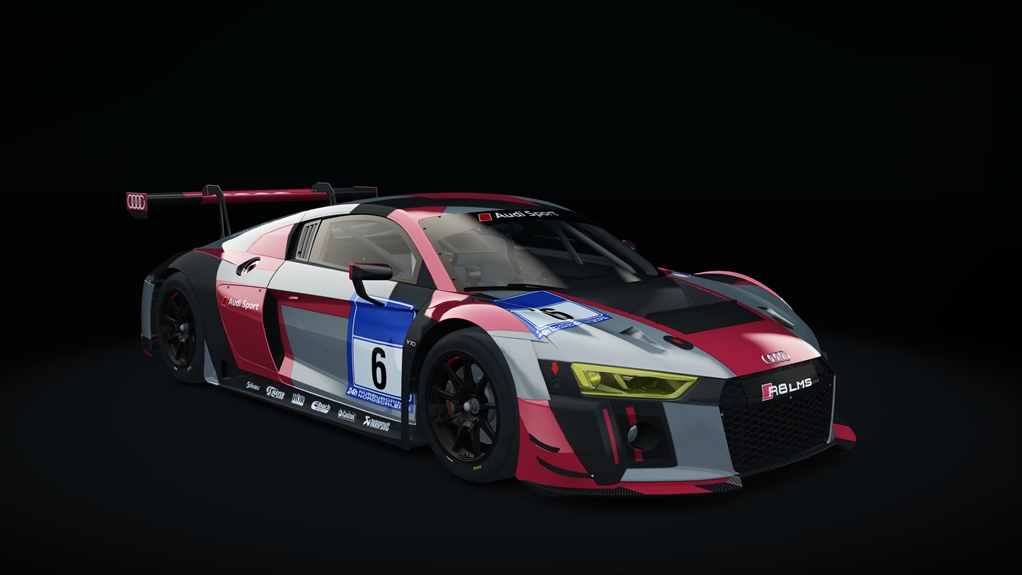
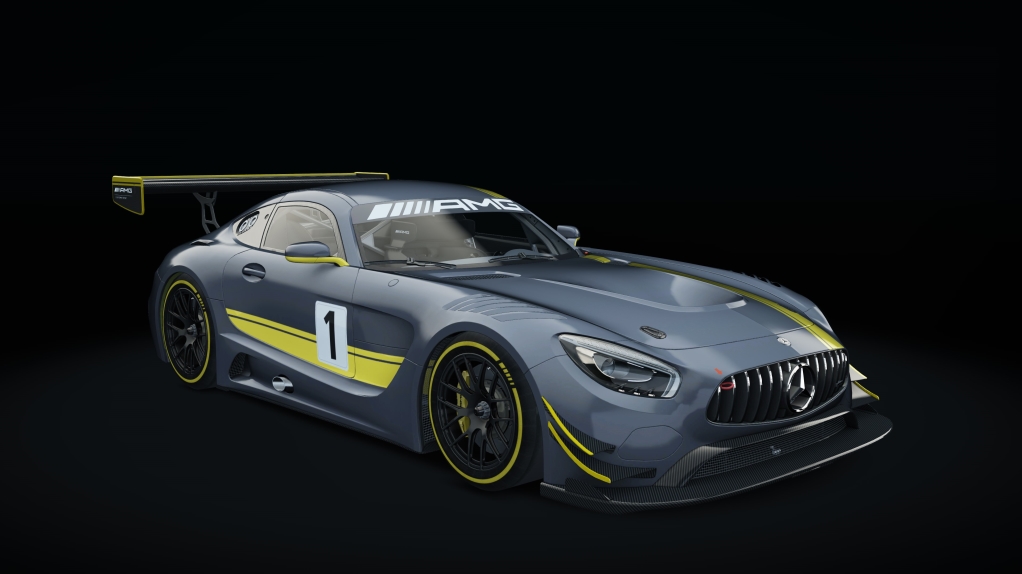
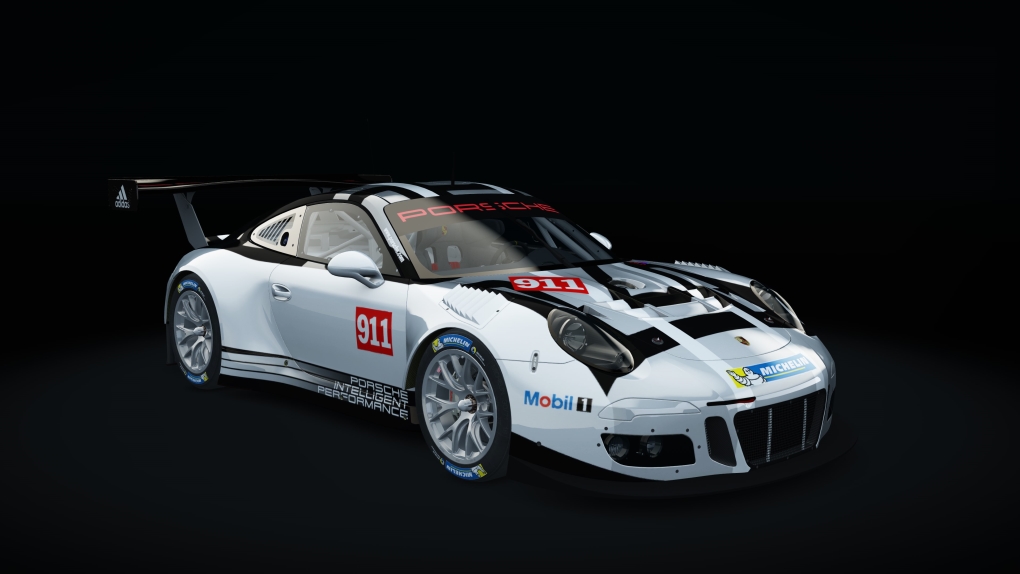
Audi R8 LMS 2016Mercedes-AMG GT3Porsche 911 GT3 R

Racer

Analyse your driving and refine your performance.

$24$20per month
$240 billed yearlySave $48
  • Every car and track
  • 6 speed strategies
  • Self-tuning to you and your car
  • +15 strategies: overtaking, defence, situations
  • Rival forecast 2–3 seconds ahead
  • Post-session analysis and decision cardsFor every corner: the options, why this one was chosen and what decided it.
  • Progress tracking and fading cuesWhere you're consistent, cues get fainter and rarer; they come back if mistakes do. Danger warnings never fade.
  • AI review after every session
Start free trial

We don't sell safety

Free in every plan:

  • Spotter
  • Braking for the car ahead
  • Save the car
  • Incidents and flags

Prices in US dollars. The first 14 days are free; after that you're charged for the plan and billing period you chose. Cancel any time in your account.

Foresight, recalculated every 50 ms

  1. 01

    See now

    Position, speed, angle to the line, pedals and steering — read from the game every frame, against the car's grip limit.

  2. 02

    See next

    31 possible futures for the rest of the corner — brake earlier or later, run wider or tighter — each played out in the car's physics.

  3. 03

    See ahead

    The best future that stays on track becomes your cue — early by your own reaction time, measured as you drive: in a run of corners and after a straight.

brake ideal apex off
reference line 31 possible futures runs off

16 m late. The future just changed.

No fixed ideal line: the prediction moves with you, rebuilt every 50 ms. The reference line runs off — Yoken AI sees a new way through: wider after the apex, two wheels out, La Source made.

Following the reference lineoff: 24.8 m beyond the edge
With Yoken AItwo wheels out, still on track
Simplified GT3 model on the real La Source from Assetto Corsa files. Half speed.
Strategies

25 strategies. For every corner and every situation.

Speed, overtaking, defence, following, special situations and rescue. Yoken AI picks one before the braking point, keeps it to the exit and shows its sign — you just drive. Any of them can be turned off.

Speed 01

Classic

Entry, apex, exit: three phases, one clean arc.

Speed 02

Late apex

Give up some entry for speed onto a long straight.

Speed 03

Early apex

Carry speed through fast sweepers.

Speed 04

Compromise

Give up one corner to win the next.

Speed 05

Trail-brake rotation

Trail braking turns the car in tight hairpins.

Speed 06

Slide

When grip runs short: rain, cold tyres, dirt.

Overtaking 07

Late braking on the inside

Dive inside and brake later than your rival.

Overtaking 08

Cross-over

Wider in, faster out — attack on the straight.

Overtaking 09

Slipstream

Sit in the tow, pull out before the braking zone.

Overtaking 10

Around the outside

Pass outside where the outside becomes the inside.

Overtaking 11

Through the exit

A stronger exit decides the pass on the straight.

Overtaking 12

Pressure

Show your nose until your rival makes a mistake.

Overtaking 13

Through traffic

Use backmarkers that hold your rival up.

Defence 14

Cover the inside

One move before braking — the door is shut.

Defence 15

Exit defence

Sacrifice entry so there's no tow on the straight.

Defence 16

Break the tow

A line change on the straight, within the rules.

Following 17

Safe following

Stay behind your rival and don't attack until there's a real chance.

Special situations 18

Start and first lap

Heavy traffic: extra braking margin and room for everyone.

Special situations 19

Blue flags

Let the faster car by where it costs you least.

Special situations 20

Side by side

Take the corner next to a rival and leave them room.

Special situations 21

Crash ahead

Scrub speed and pass on the clear side.

Special situations 22

Damage

Nurse the car: brake earlier, drive smoother.

Special situations 23

Fuel and tyre saving

Lift before braking to save fuel and tyres.

Special situations 24

Drying track

Find the dry line while others stay on the wet.

Rescue 25

Save the car

When no option keeps the car on track any more, Yoken AI switches to the least dangerous way out: as little off-track as possible, car intact, forget the corner.

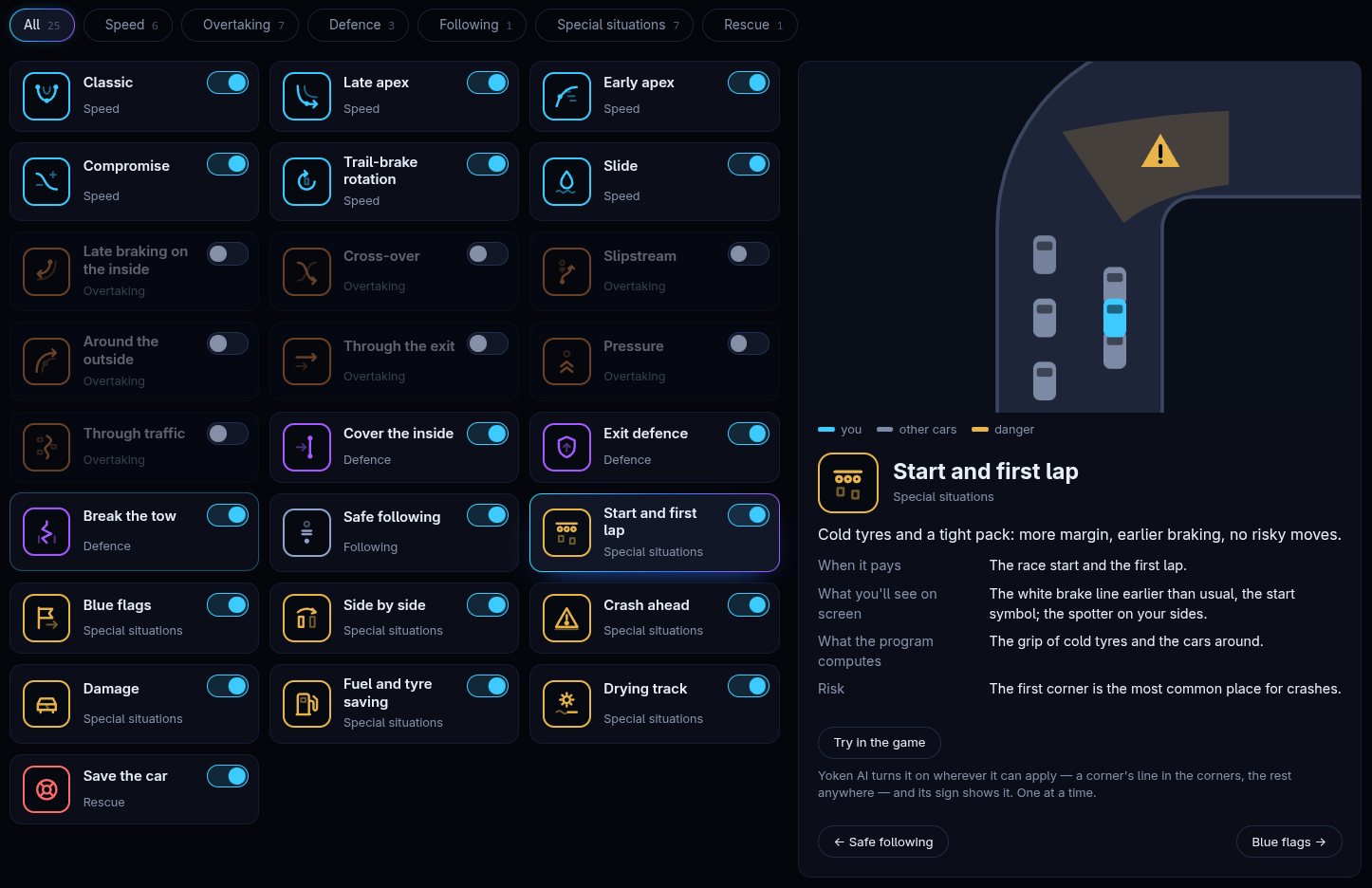
The settings page, Strategies tab: 25 strategy cards by category and the card of «Start and first lap»
Every strategy has a card on the settings page: a sketch, when it pays, what you'll see on screen, what the program computes, the risk — and «Try in the game».
Self-tuning

It adapts to you. On its own.

60times a second it reads the game0calibration laps1 minto the first cues after install

Your level, three styles

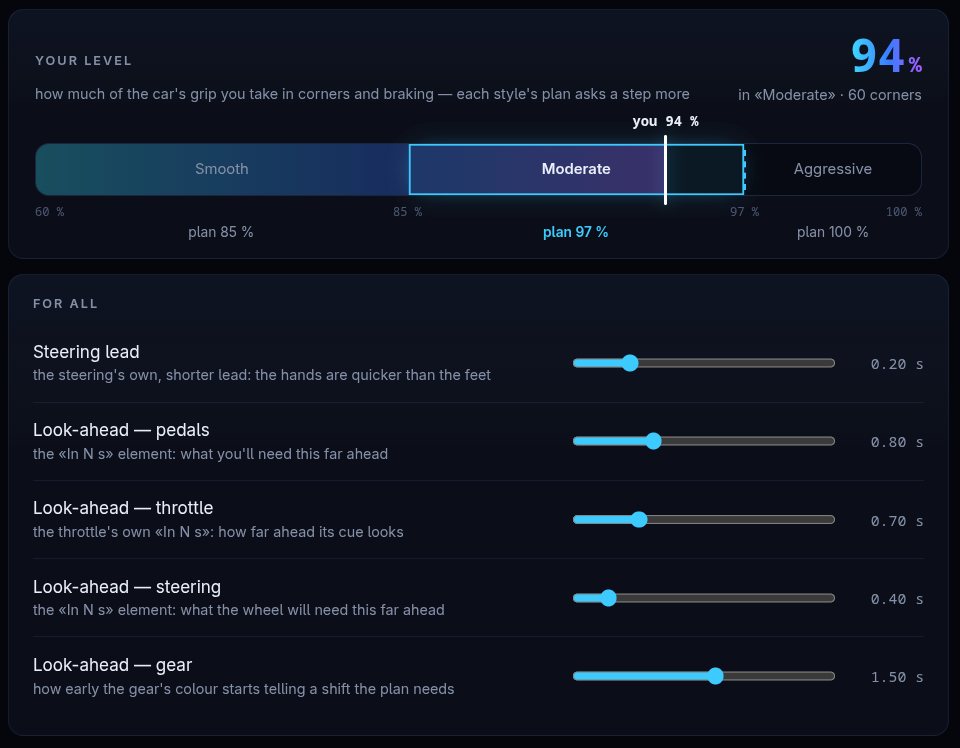
Your level — how much of the car's grip you take in corners and braking — is measured corner by corner. The plan always asks a step more, up to your style's ceiling: Smooth 85 %, Moderate 97 %, Aggressive 100 % of the limit. Each style keeps its own level, and your reaction is measured on its own — in a run of corners and after a straight.

The settings page, General tab: your level on the scale of three driving styles, the steering lead and the look-ahead for the pedals, throttle, steering and gear

What adapts

  • Cargrip limit and brakes
  • Rivalsforecast 2–3 seconds ahead
  • Driveryour level, reaction and pace
  • Conditionstemperature and track grip

Why it works this way

  • Right away — the car profile is ready, so cues are right from the first minute
  • Sharper every lap — it learns from clean laps; offs don't count
  • No surprises — changes come little by little, only between corners
  • Yours stays yours — your profile lives on your computer; only anonymous numbers go to the server
Assetto Corsa

Race seconds ahead

Try Yoken AI free for 14 days on Windows or Linux. See the line. See the correction. See what comes next.

Start free trial
Download

Yoken AI for Windows and Linux

Unpack the archive, run the installer and start Assetto Corsa — Yoken AI comes on with the game. Sign in inside the app; the first 14 days are free.

Windows Windows 10 and 11 · run setup.exe
Download for Windows
Linux Steam + Proton · run sh install.sh
Download for Linux
Contact

Write to us

A question, an idea or a problem — tell us. We read every message and reply by email.

Or write directly: support@yokenai.com

FAQ

Frequently asked questions

Didn't find your answer? Write to us.

Buying and plans

How do I buy a subscription?
  1. Open Pricing and pick a plan and a period — monthly or yearly.
  2. Enter your email and accept the terms.
  3. Add a card in Paddle's secure form.

The first 14 days are free — the first charge comes only at the end of the trial. Your account is ready at once; you set the password through the link in the email.

What's in the trial, and do I need a card?
  • Every feature of the plan you chose, for 14 days.
  • A card is needed — Paddle checks it but charges nothing.
  • The first charge is on the day the trial ends.
  • Cancel before and you pay nothing.

One trial per account.

How do the plans differ?
Training · $12/mo
every car and track, 6 speed strategies, safety
Driver · $18/mo
everything in Training plus 15 more strategies — overtaking, defence, situations — and the rival forecast
Racer · $24/mo
everything in Driver plus post-session analysis, decision cards, progress and the AI review

Cheaper yearly: $10, $15 and $20 a month.

Who takes the payment?
Seller
Paddle, our official reseller (Merchant of Record)
Methods
cards and other methods available in your country
Taxes
calculated and paid by Paddle
Documents
bills and receipts in your account, under "Bills and receipts"

We never see your card details — they stay with Paddle.

How do I change my plan or cancel?
  1. Open your account and press "Manage subscription".
  2. On Paddle's secure page, change the plan or card — or cancel.

After cancelling, the plan works until the end of the period you paid for.

Can I get a refund?
  • Within 14 days of a charge — write to support@yokenai.com or use the link in your Paddle receipt.
  • The money returns to the same card through Paddle.
  • During the trial cancelling is free — nothing is charged.

More in Refunds.

Installing and running

How do I install Yoken AI?
Windows
unpack the archive and run setup.exe
Linux
start the game once through Steam, then run sh install.sh

The installer finds Assetto Corsa and switches the app on. Get the file in Download.

I've downloaded the file — what's next?
  1. No account yet? Start the free trial in Pricing first — without it the cues won't come on.
  2. Unpack the whole archive (Windows: right-click → "Extract All").
  3. Windows: run setup.exe. Linux: start the game once through Steam, then run sh install.sh.
  4. Start Assetto Corsa and any session.
  5. At the right edge of the screen open YokenAI-Settings, press "Sign in" and confirm "Connect" in the browser.

Windows may show "Windows protected your PC" — press "More info" → "Run anyway".

How do I sign in to the app?
  1. At the right edge of the game screen open YokenAI-Settings — the settings open in your browser.
  2. Press "Sign in" — a page with a code opens.
  3. Press "Connect" — the computer is now linked to your account.

Up to 2 computers per account. Unlink them in your account, under "Profile and security".

Which games and systems are supported?
Game
Assetto Corsa (Steam)
Systems
Windows 10 and 11 · Linux through Steam and Proton
Coming soon
ACC, iRacing, Automobilista 2, rFactor 2, Le Mans Ultimate, F1, Forza Motorsport, Gran Turismo 7, EA Sports WRC — not available yet
Do I need a wheel?

No. The cues are built from the game's own data, so any control Assetto Corsa understands works:

  • a wheel with pedals
  • a gamepad
  • a keyboard
Do I need the internet?
  • To sign in and check the subscription — yes.
  • Offline the app keeps working for up to 3 days, then asks to reconnect.
How does the app update?
  1. A new version downloads in the background.
  2. Its signature is checked — a foreign file never installs.
  3. It installs when you quit the game.

Nothing to do on your side.

Account

Where do I enter a promo code?
  1. Create an account.
  2. Confirm your email through the link in the letter.
  3. Enter the code in your account, in the "Promo code" field.
How does "Invite a friend" work?
  1. Take your link in your account — the "Invite a friend" card.
  2. A friend subscribes through it and pays for the first time.
  3. 14 days later you both get a month free.

Up to 12 months a year.

What data do you collect?
Account
your email and subscription details
Your computer
your recordings, profile and analysis — the app works them out itself, offline too
Our server
copies of your drive recordings (speed, place on track, pedals, wheel, tyres — no in-game nickname) and the sessions' numbers, so the car models get more accurate for every pilot; the car profile's numbers per track and car
AI review
only the session's numbers, when you ask for a review

More in Privacy.

Where is my driving analysis kept, and what goes to the AI?
  • On your computer — the recordings, the analysis of sessions and corners, your reaction and skills: the app counts them itself, offline too. A copy of the recordings goes to our server, for the car models.
  • The AI review sends only the session's numbers — lap times, corners, habits — through our server; no recordings, no names.
How do I contact support?
Email
support@yokenai.com
Form
Write to us on this page

We reply by email. If the cues don't show up, attach the game log: Documents\Assetto Corsa\logs\py_log.txt.